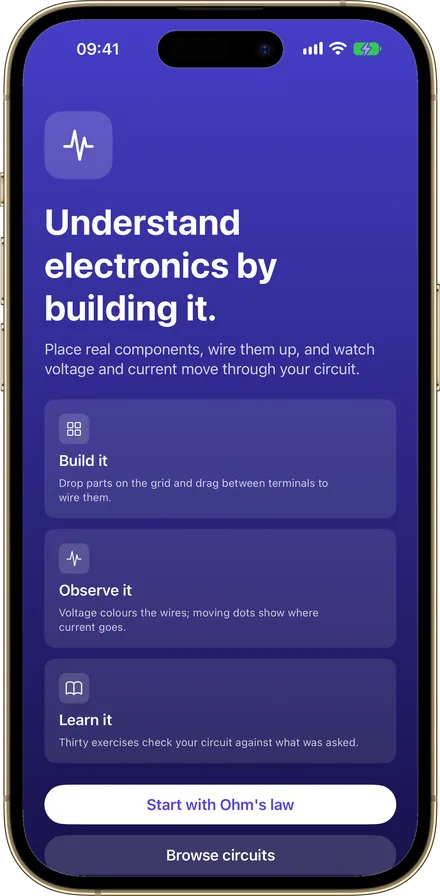
Understand electronics by building it.
Place real components, wire them up, and watch voltage and current move through your circuit.
iPad and iPhone. iOS 26 or later.
Phones, tablets and foldables. Android 8.0 or later.
Free. No account, no ads, no tracking.
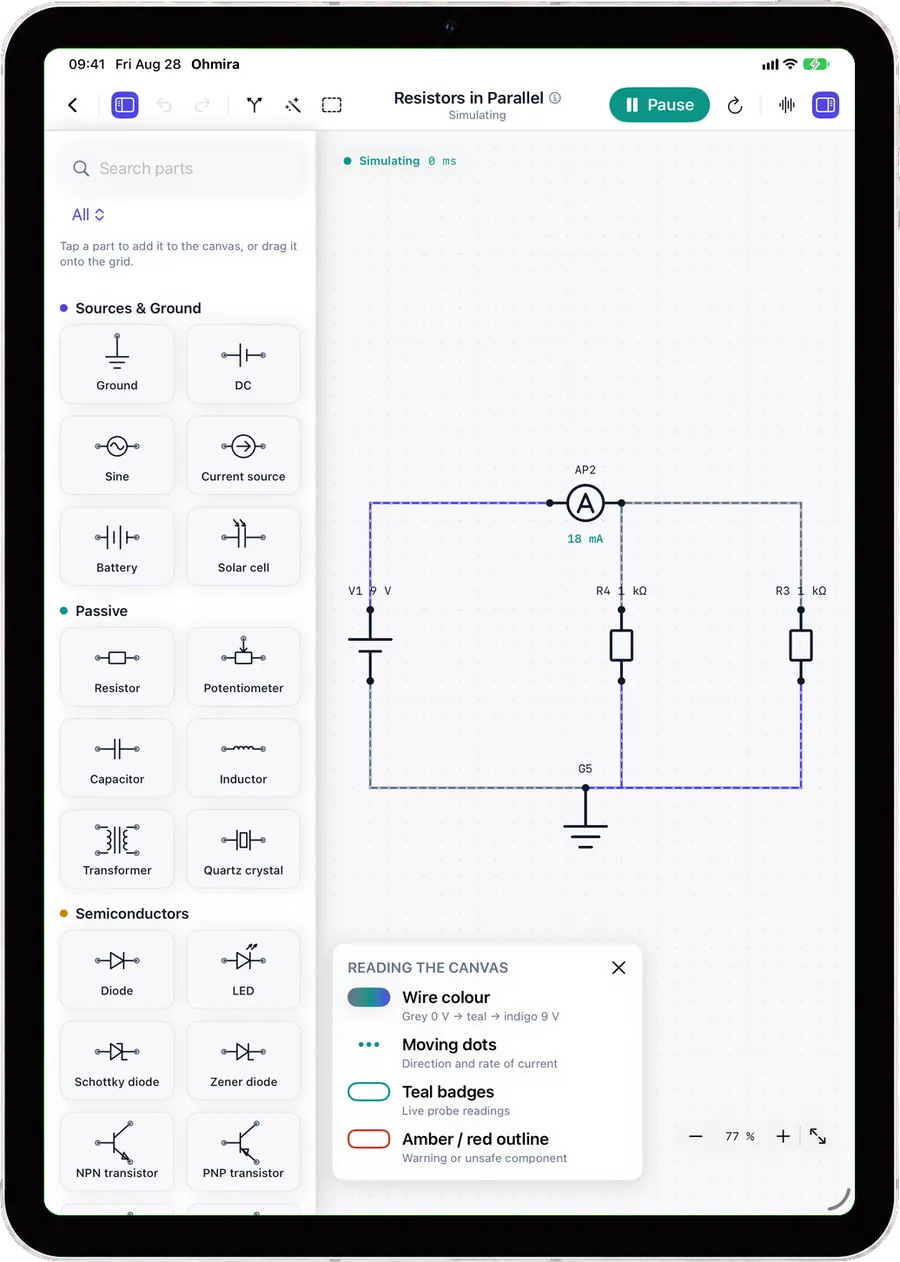
- Grey 0 V to teal to indigo 9 V
- Direction and rate of current
- Live probe readings
- components, all simulated
- 43components, all simulated
- exercises that check your work
- 30exercises that check your work
- pieces of data collected
- 0pieces of data collected
Build it. Observe it. Learn it.
Three moves, repeated until electronics stops being abstract.
Build it
Drop parts on the grid and drag between terminals to wire them.
Observe it
Voltage colours the wires; moving dots show where current goes.
Learn it
Thirty exercises check your circuit against what was asked.
A workbench, not a worksheet
Everything here answers the same question: what is this circuit actually doing?
Wires that route themselves
Parts snap to the grid and wires find their own way around whatever is in the way, in straight segments and square corners, the way a schematic is drawn.
- Tap a terminal, then tap another to connect them
- Tidy layout redraws a messy circuit in one tap: the source standing up on the left, the ground at the bottom
- Undo and redo on everything, with a loupe for precise terminals
Exercises that read the circuit you built
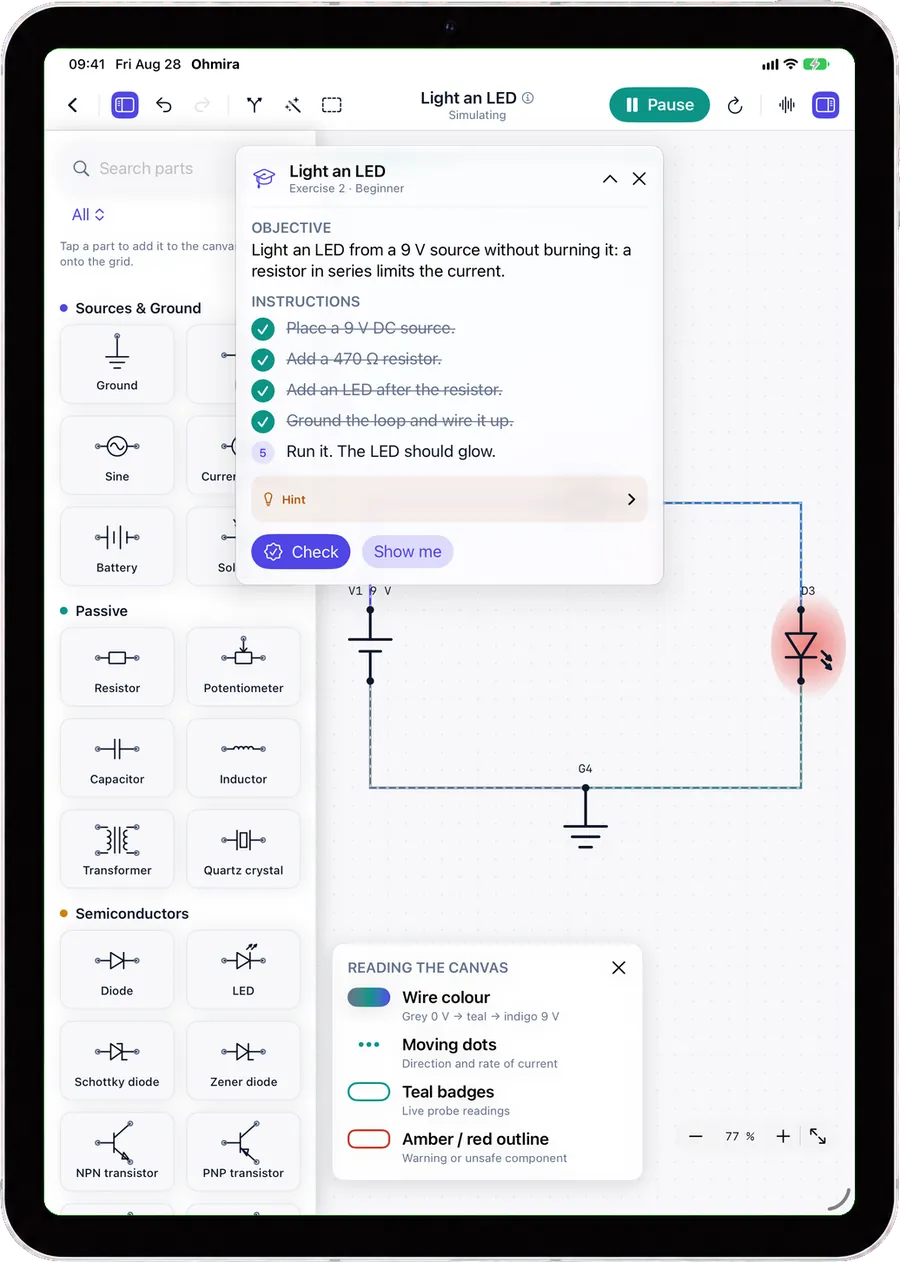
Each exercise gives you a brief, ticks off the instructions as your circuit satisfies them, and then simulates what you actually made. Not a multiple-choice question about it.
- Thirty exercises in three tiers, from Ohm’s law to a regulated supply
- Failures are explained in terms of your circuit, not in error codes
- Show me builds the reference solution as a single undo step
Watch it change, instead of working it out
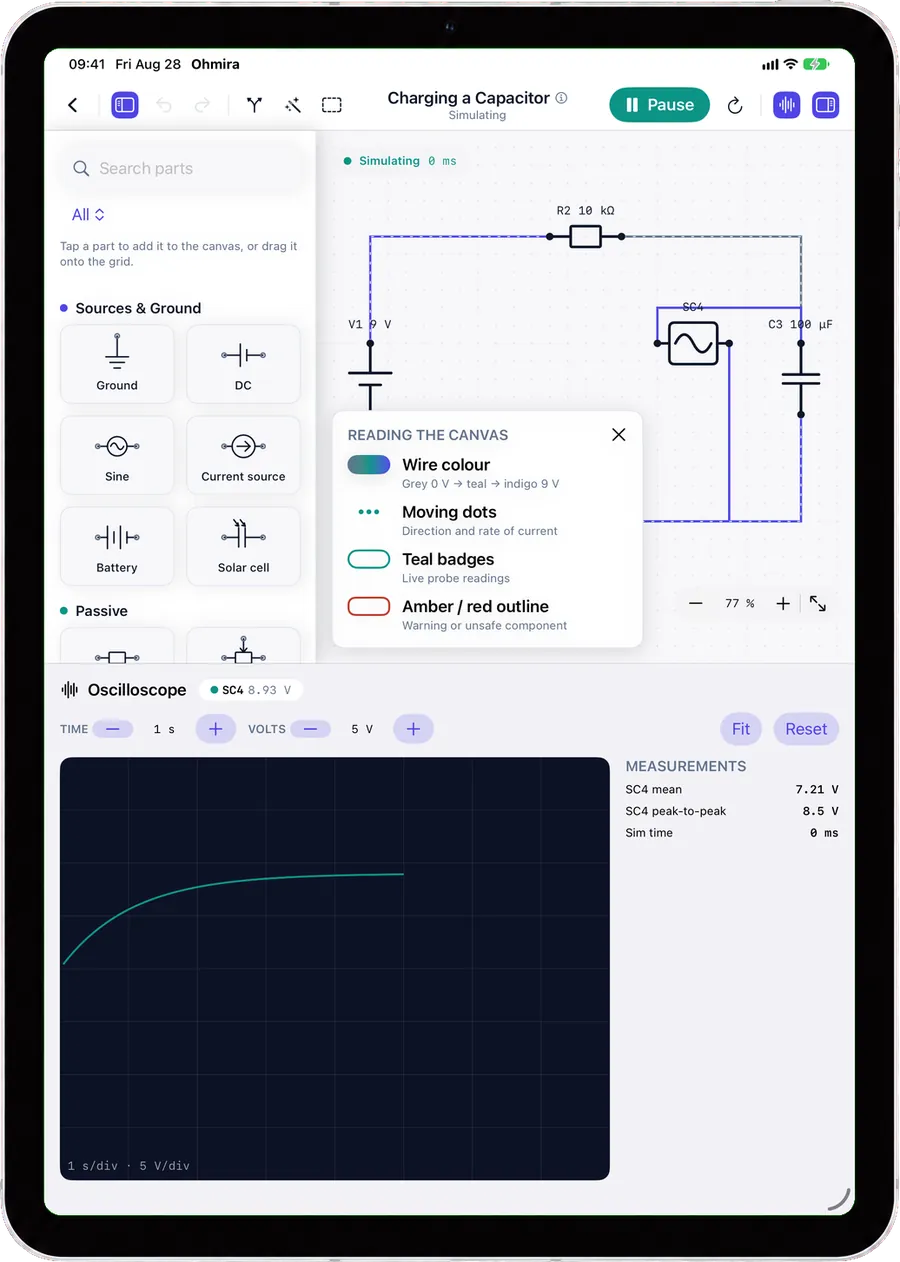
The oscilloscope draws what the maths only describes. A capacitor charging becomes a curve you can put a cursor on.
- Single channel, 1-2-5 timebase, fit and reset
- Mean and peak to peak, with a cursor and a full-screen view
- Always dark, like a bench scope
Your circuits, kept and carried
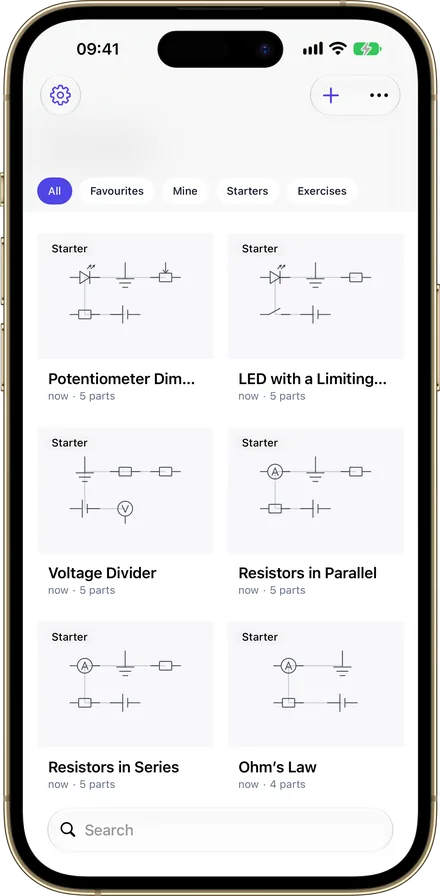
Everything you build is saved, searchable and yours to export, whether or not anything has been unlocked.
- Private iCloud sync on iPhone and iPad; on Android, export and import a file
- Search, sort, favourite, duplicate, and filter by kind
- Import and export as a file, to keep or to share
Six screens, one idea
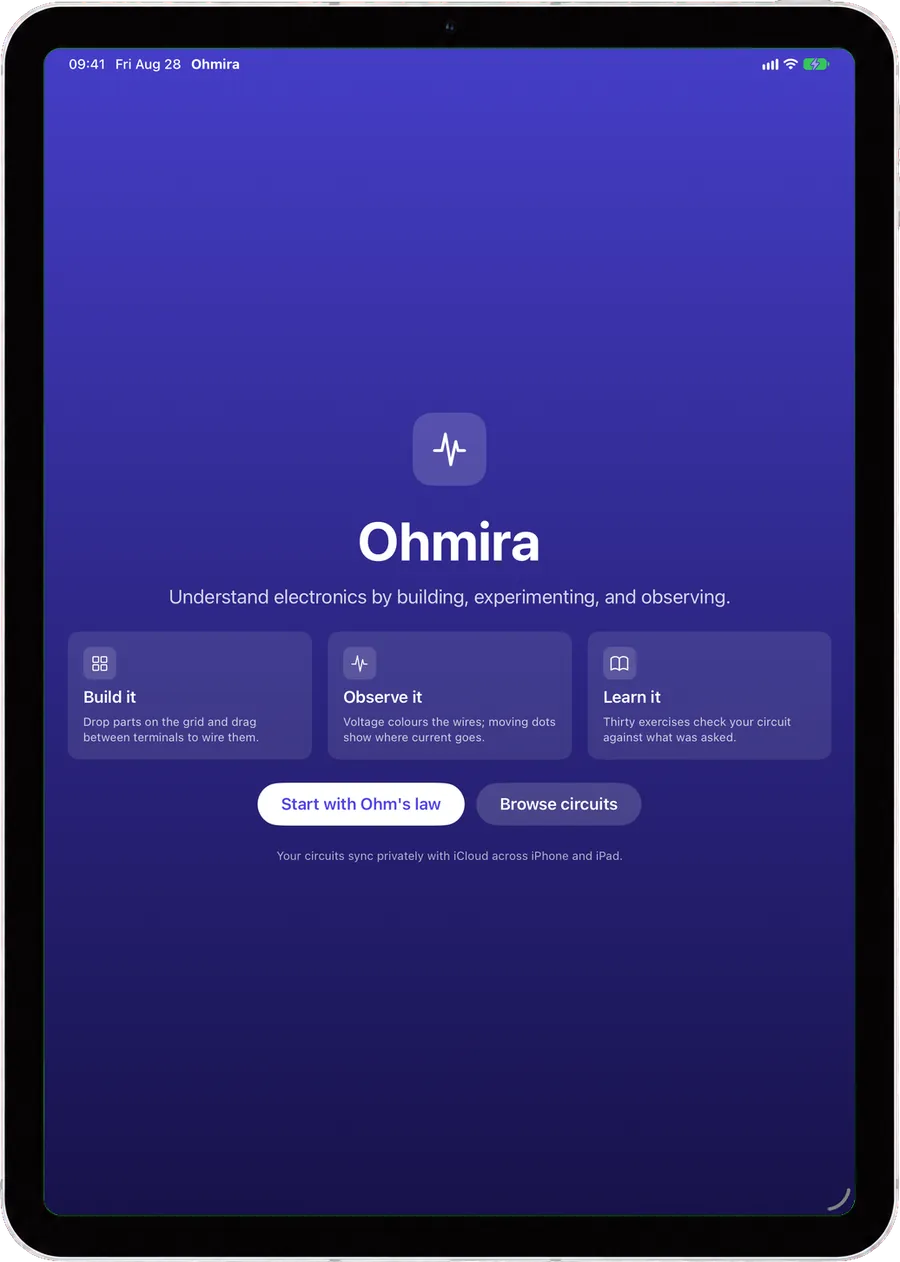
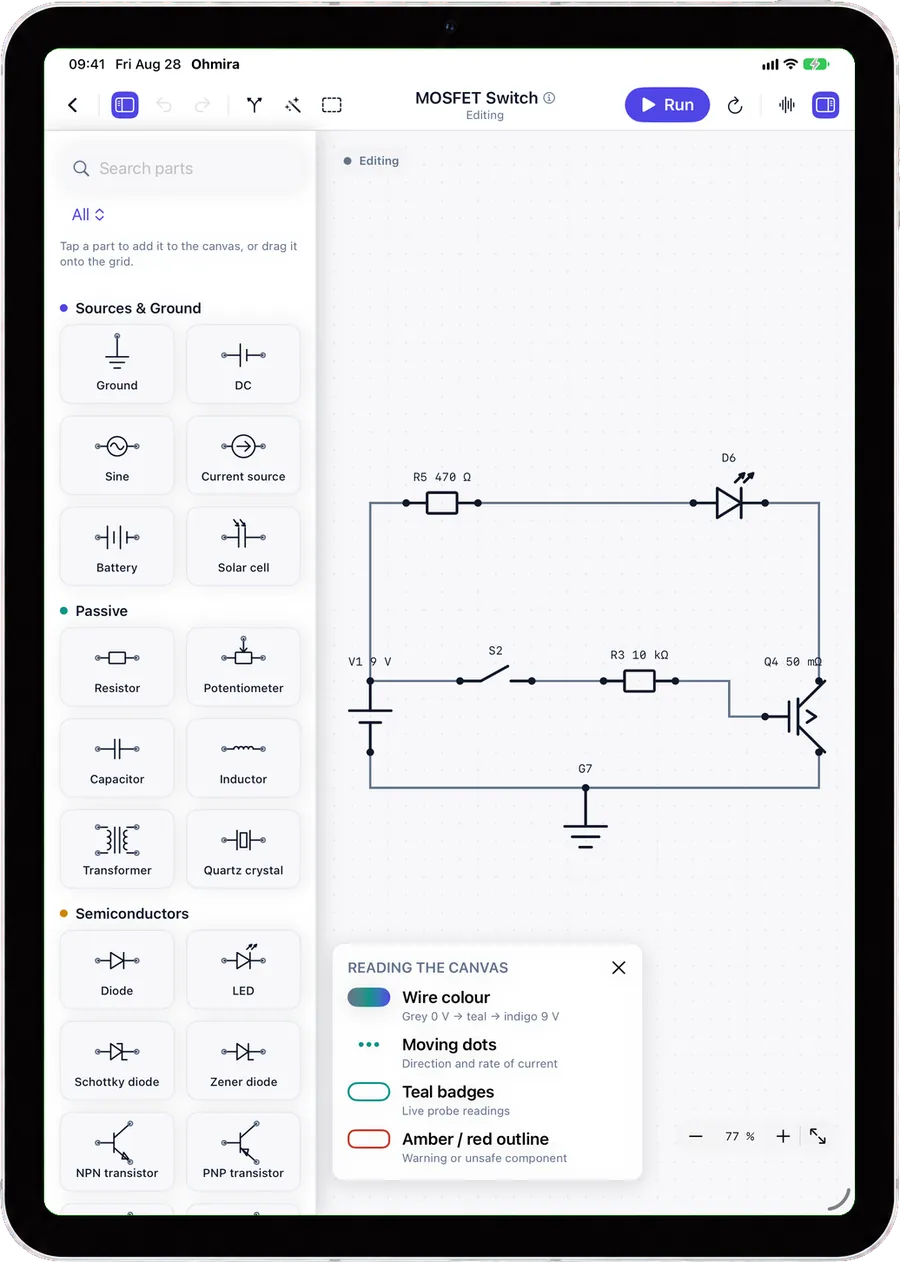
Every shot below is the app running on a tablet, in your language.
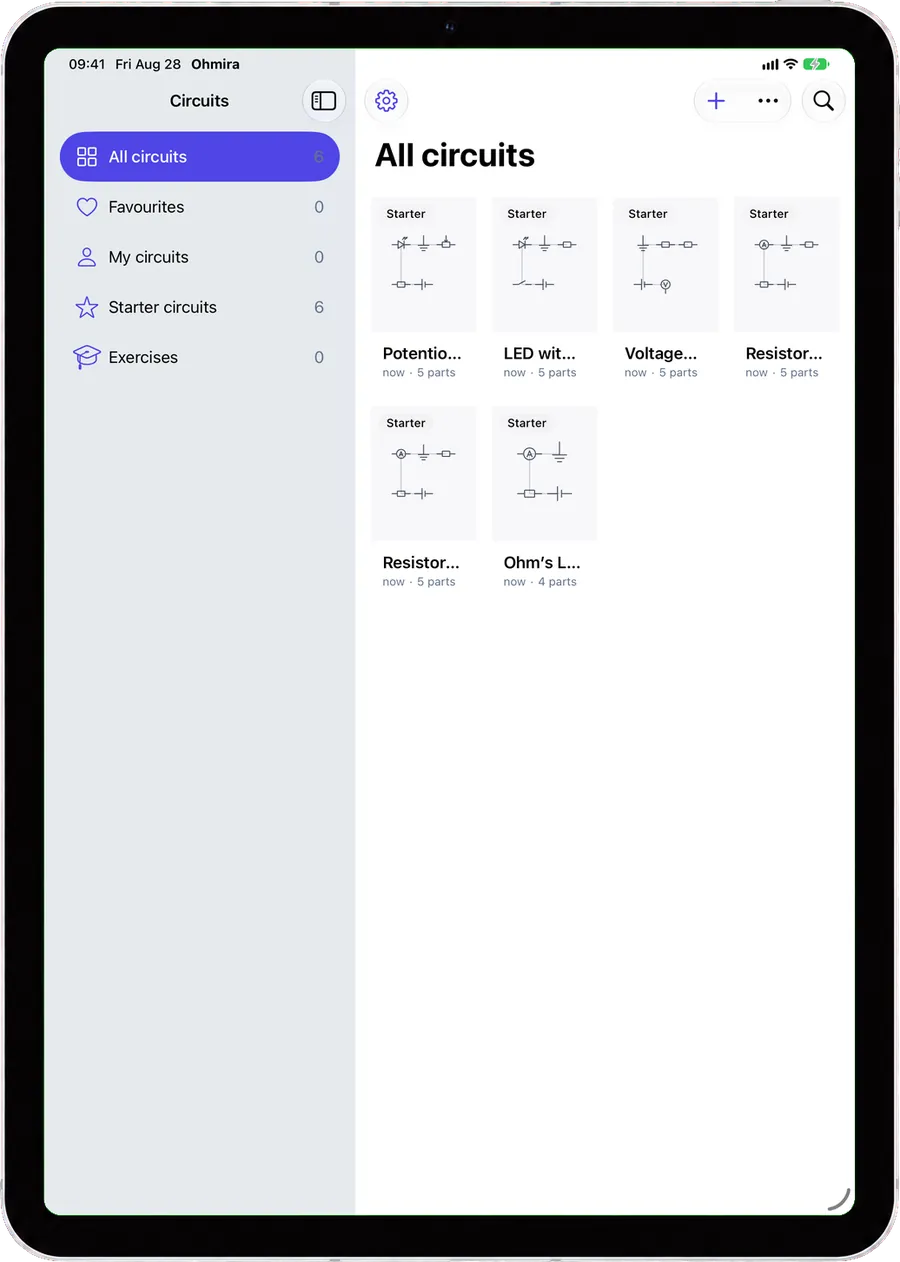
Scroll the strip, or use the arrow keys.
Three taps to a live circuit
There is nothing to configure first, and nothing to sign up for.
- 1
Place
Drag a part out of the palette, or tap it to drop it on the grid. It snaps where it belongs.
- 2
Wire
Tap a terminal, then tap another. The wire routes itself around anything in the way.
- 3
Run
Press Run and the circuit stays live. Wires take the colour of their voltage, and the dots start moving.
iPad, iPhone and Android
The same simulator, built natively for each.
At home on iPad, in your pocket on iPhone
One app, one purchase, and the same circuits on both.
The whole workbench, open at once
This is where Ohmira was designed to be used. The palette, the inspector, the oscilloscope and the legend are floating panels you arrange yourself, and each circuit remembers how you left them.
- Panels you collapse and reopen independently, remembered per circuit
- Apple Pencil, trackpad and mouse, all welcome on the canvas
- Keyboard shortcuts for the tools, and undo where you expect it
- Split View, Slide Over and a resizable window
The same bench, in your pocket
Nothing is cut. The canvas takes the whole screen, the tools come to you when you need them, and a circuit started on the sofa is on the iPad by the time you sit down.
- Canvas first, with a floating action capsule
- Run and Scope always one tap away
- The same 43 components and the same 30 exercises
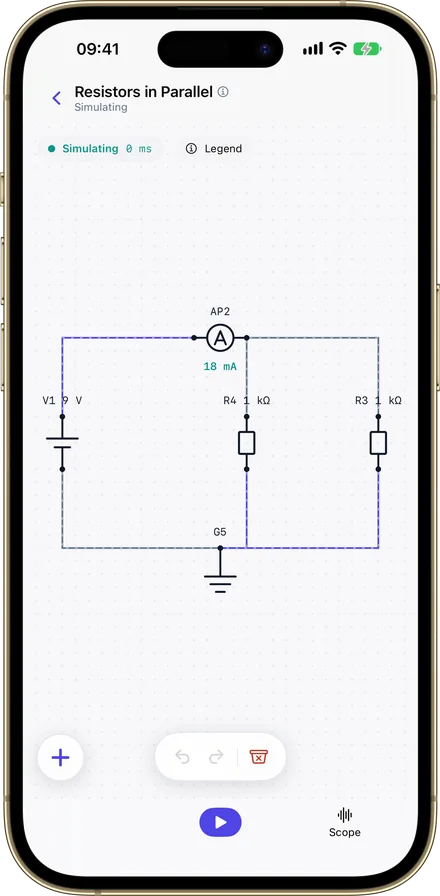
Your circuits synchronise privately through your own iCloud, so the iPad and the iPhone are always looking at the same bench.
Phones, tablets and foldables
The same editor either way, not a smaller second one.
A workspace, across
On a tablet the parts palette becomes a rail beside the grid, and the oscilloscope docks under the circuit rather than covering it. The layout follows the size of the window, so a foldable rearranges itself as it opens.
- The parts palette as a rail beside the canvas, searchable
- The oscilloscope docked under the circuit, not over it
- A layout driven by window size, foldables included
- Full TalkBack labels, font scaling, reduce motion and increase contrast
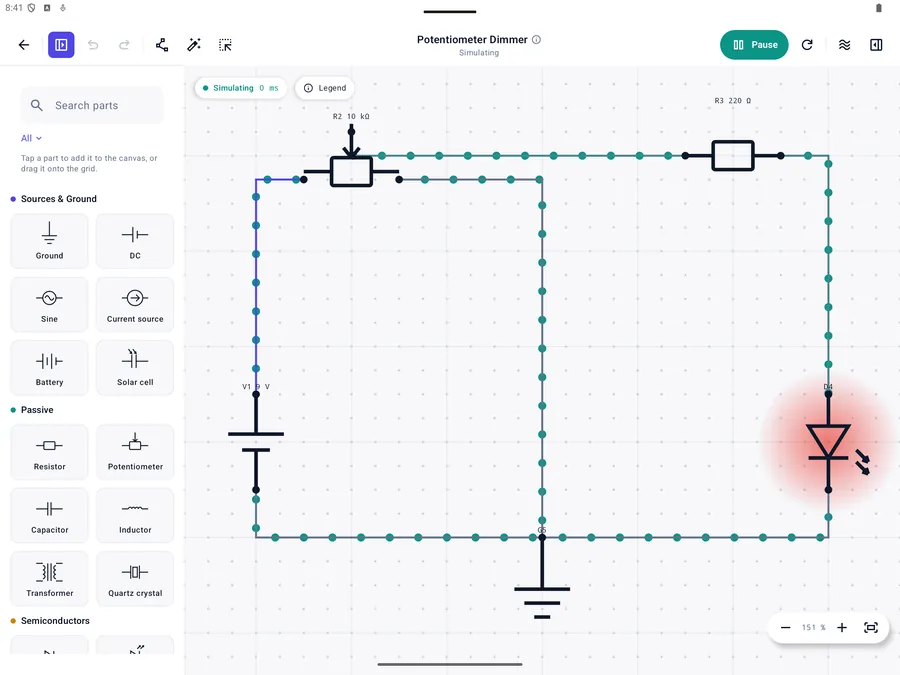
The same bench, in your pocket
Nothing is cut here either. The canvas takes the whole screen and the tools come to you when you need them.
- Canvas first, with a floating action capsule
- Run and Scope always one tap away
- The same 43 components and the same 30 exercises
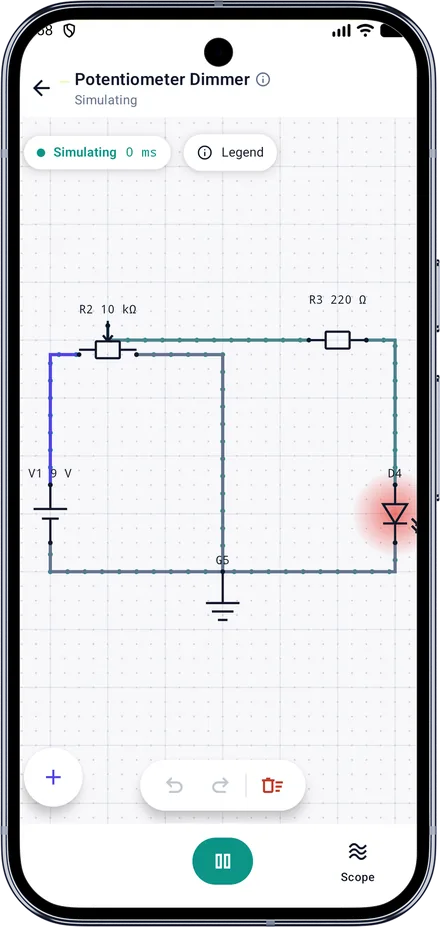
There is no cloud on Android, and no account. A circuit travels by export to a file and import on the other device, and you choose the file. Android’s own backup service copies your circuits with the rest of the device, if you have it switched on, but that is your device’s backup and not a synchronisation.
43 components, one grid
Every one of them simulated, not merely drawn on the canvas.
Sources and ground
- Ground0 V reference
- DCSteady voltage
- SineCompleteAC waveform
- Current sourceCompleteForces a set current
- BatteryA real source, with internal resistance
- Solar cellCompleteGenerates from light
Passive
- ResistorLimits current
- PotentiometerAdjustable resistance
- CapacitorStores charge
- InductorResists current change
- TransformerCompleteIdeal: trades voltage for current. Passes DC
- Quartz crystalCompleteResonates at one frequency
Semiconductors
- DiodeConducts one way
- Schottky diodeCompleteConducts one way, at a lower drop
- Zener diodeCompleteHolds a set voltage backwards
- LEDLights when conducting
- PhotodiodeCompletePasses a current in proportion to light
- Bridge rectifierCompleteTurns AC into DC, both half-cycles
- VaristorCompleteShunts a surge, either way round
- ThyristorCompleteFires on its gate, then stays on
- TRIACCompleteThe same, conducting either way
- NPN transistorCompleteA small base current controls a large one
- PNP transistorCompleteThe same, with every sign reversed
- PhototransistorCompleteA photodiode with gain behind it
- N-channel MOSFETCompleteA gate voltage switches it, drawing no current
- P-channel MOSFETCompleteThe same, switched by a gate below its source
- Op-ampCompleteAmplifies the difference, until it hits a rail
- Voltage regulatorCompleteHolds its output, until the input sags
Switching and protection
- SwitchOpens and closes the loop
- Changeover switchCompleteMoves a connection between two paths
- Push buttonCloses while held
- RelayCompleteA coil that throws a contact
- FuseBlows on overcurrent
Transducers
- LampGlows with power
- BuzzerCompleteSounds when powered
- SpeakerCompleteA voice coil: resistance and inductance
- MicrophoneCompleteA small signal behind a coil
- DC motorCompleteA coil. Stalled: back-EMF is not modelled
Sensors
- ThermistorCompleteResistance falls as it warms
- PhotoresistorCompleteResistance falls as light rises
Measurement
- Voltage probeReads node voltage
- Current probeReads branch current
- OscilloscopeCompletePlots a signal over time
Fifteen components are free, with no time limit. The other 28 come with Ohmira Complete. A locked part is always shown, greyed with a padlock, never hidden.
Thirty exercises, in three tiers
From Ohm's law to a regulated power supply, in the order the subject is usually taught.
Beginner
FreeExercises 1 to 10
Ohm's law, lighting an LED, adding a switch, resistors in series and in parallel, the voltage divider, a real battery, and power in a resistor.
Intermediate
CompleteExercises 11 to 20
A dimmer, a current source, a diode both ways round, a Zener regulator, charging a capacitor, a low-pass filter, and a half-wave rectifier.
Advanced
CompleteExercises 21 to 30
A MOSFET switch, a transistor as a switch and then as an amplifier, a bridge rectifier, a steady 5 V, a temperature sensor, a night light, and a power supply.
Check reads your circuit, not a multiple choice
Press Check and the app simulates what you built. When it does not work, it says why in words about your own circuit: a part missing, a value wrong, a terminal left unwired, a reading that came out too low.
- The LED is not lit: not enough current reaches it.
- R2 should be 1 kΩ. The nearest is 470 Ω.
- A resistor has nothing on its right terminal.
- The voltmeter should read about 4.5 V; it reads 9 V.
Ohmira collects nothing
No account, no sign-in, no analytics, no crash reporting, no advertising, and no server of ours for the app to talk to. There is no backend to leak.
It stays on your device
Your circuits, their names and layouts, and which exercises you have solved are stored on your device. Nothing about them is sent to us, because there is nowhere to send it.
iCloud is yours
On iPhone and iPad, circuits synchronise through your own private iCloud database, which belongs to your Apple Account. On Android they never leave the device at all. We cannot read either, and neither can anyone else.
The store handles purchases
We never see your name, your payment details or your account. The app asks Apple or Google whether the purchase exists, and unlocks accordingly.
Safe at 4+
No chat, no content from other people, no links out to the web, and no advertising. Collecting no data at all means collecting none about children either.
Free, and what is not
Said here rather than discovered behind a padlock after you download it.
Ohmira
Free
No time limit, and no cap on how many circuits you keep.
- The whole editor, with unlimited circuits
- Fifteen fundamental parts, from the battery to the ammeter
- The full DC simulation, with colours, moving dots and live readings
- Import and export as a file; private iCloud sync on iPhone and iPad
- The first ten exercises: the entire beginner tier
- Six of the ten starter circuits
Ohmira Complete
One purchase
No subscription. Shared with your family.
- The other 28 components: transistors, MOSFETs, the op-amp, regulators, the transformer, sensors
- The remaining 20 exercises, intermediate and advanced
- The oscilloscope, with mean and peak to peak
- The four starter circuits that need those parts
The line is drawn around capability, never around your own work. Every circuit is saved, kept and exported whatever is unlocked, and no count of them is ever refused.
The paywall opens only when you reach for something locked: a part, an exercise past the tenth, the oscilloscope, or a row in Settings. Never at launch, never on a timer.
Frequently asked questions
And if yours is not here, the support page has an address that reaches a person.
Do I need an account?
No. There is nothing to sign up for and nothing to sign in to. Open the app and start building.
Does it work without an internet connection?
Yes, entirely. The simulation runs on your device and the app has no backend. On iPhone and iPad a connection is only ever used by iCloud, and by the App Store when you buy something. The Android app makes no network call of its own at all: it does not even ask for internet access.
Is it a real simulator, or an animation?
A real one. Ohmira solves the DC operating point and runs a transient simulation, including nonlinear parts such as diodes and transistors. The waveforms on the oscilloscope are computed, not drawn.
Can I use it to design a board?
It is a teaching simulator, built to make circuits understandable rather than to certify a design for manufacture. It has no netlist export and no PCB layout.
Which device is it best on?
A big screen is where Ohmira is happiest: on an iPad the palette, the inspector and the oscilloscope are floating panels you arrange yourself, with Apple Pencil and pointer support, keyboard shortcuts and Split View, and on an Android tablet the palette becomes a rail beside the grid. A phone runs the same app, canvas first, with the tools one tap away.
What is free, exactly?
The whole editor, unlimited circuits, fifteen components, the full DC simulation, import and export, the first ten exercises, and six starter circuits. Ohmira Complete adds the other 28 components, the remaining 20 exercises, and the oscilloscope.
Is Ohmira Complete a subscription?
No. It is one purchase, it does not renew, and it is shared with your family: through Family Sharing on Apple’s stores, and through family sharing on Google Play.
Do my circuits sync between Android and iPhone?
No. They are two apps on two stores, and there is no account behind either. On iPhone and iPad your circuits synchronise through your own iCloud; on Android there is no cloud at all. To move a circuit from one to the other, export it as a file and import it: the format is the same on both.
Do I have to buy it twice?
Ohmira Complete is one purchase on each store, because Apple and Google do not share purchases between them. On each, it is one purchase, it does not renew, and it is shared with your family.
Which languages does it speak?
The app is translated into English, French, German, Spanish, Italian, Portuguese and Russian. The exercise texts themselves are in English and French for now; the other languages read the English until they are translated.
Start with Ohm's law
Free, with the whole editor and the first ten exercises.
iPad and iPhone. iOS 26 or later.
Phones, tablets and foldables. Android 8.0 or later.
No account, no ads, no tracking.